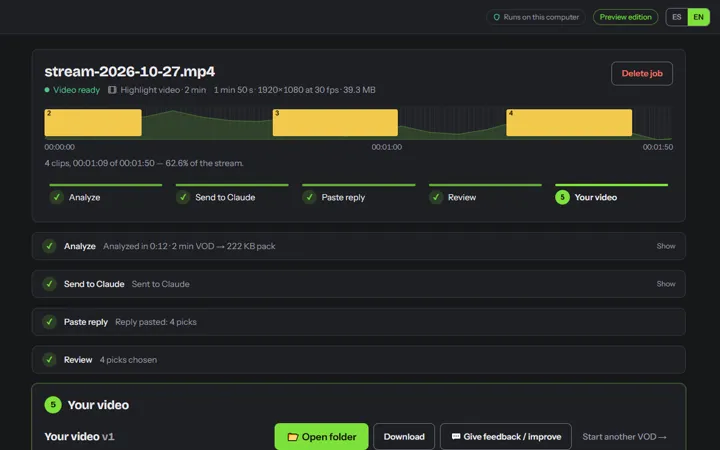
Highlight video
One YouTube-ready video of the length you choose, with chapters.
VOD Clipper turns long streams and podcasts into highlight videos, clips and ready-to-post Shorts. Claude picks the moments; your computer cuts them from the original, in full quality.
Open source · View the code on GitHub
Windows only for now. Open this page on your PC to download.
See how it works ↓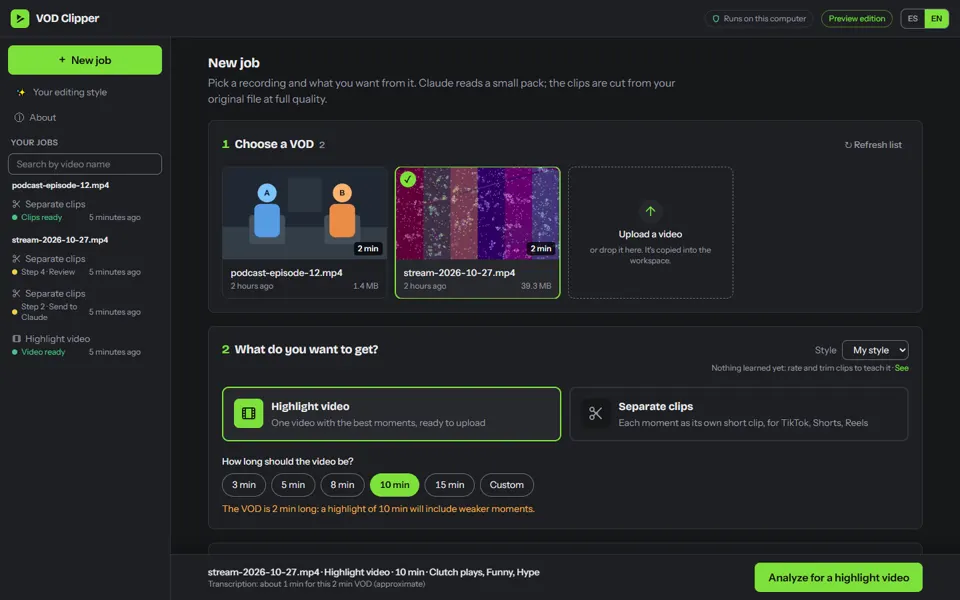
The problem
A 3-hour VOD is 6 GB. Claude.ai takes up to 500 MB per file and can't watch video.
The idea
VOD Clipper sends Claude a 15 MB pack it can read (transcript, thumbnails, energy signals) and cuts the clips from your original file.
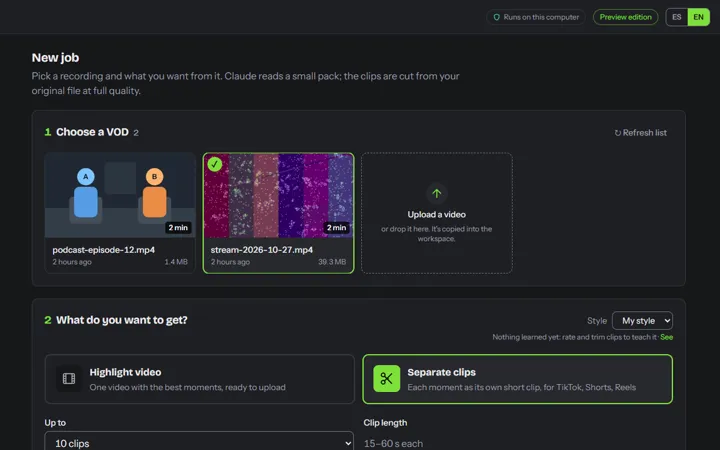
A highlight video, separate clips or Shorts. The app analyzes the recording on your computer.
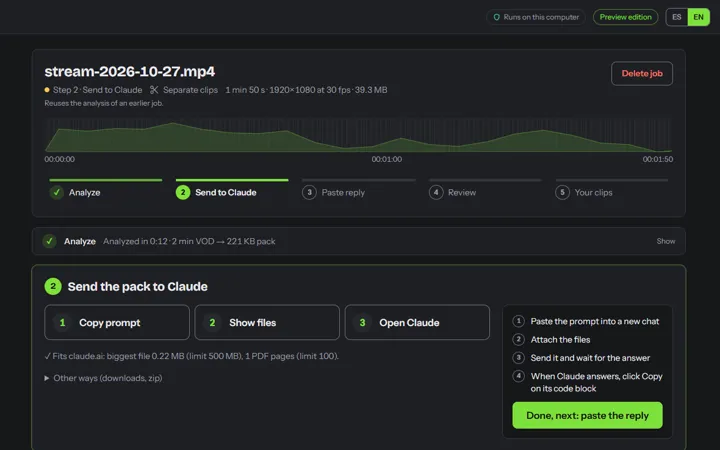
Copy, attach, open: three clicks. Claude reads the transcript and thumbnails and picks the moments.
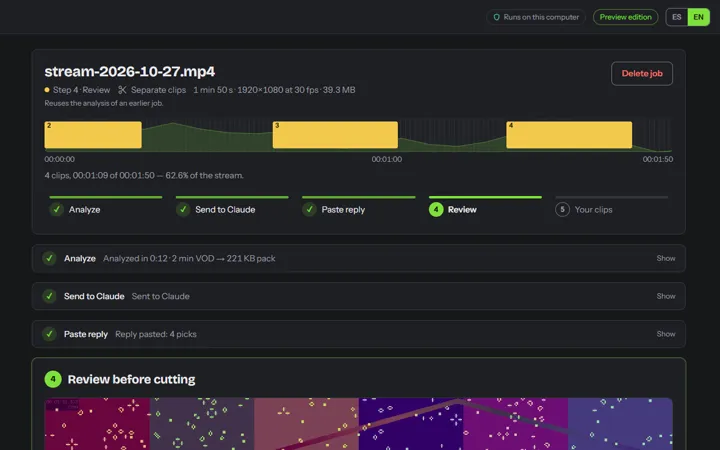
Preview each moment, adjust it, then cut in seconds from the original.
One YouTube-ready video of the length you choose, with chapters.
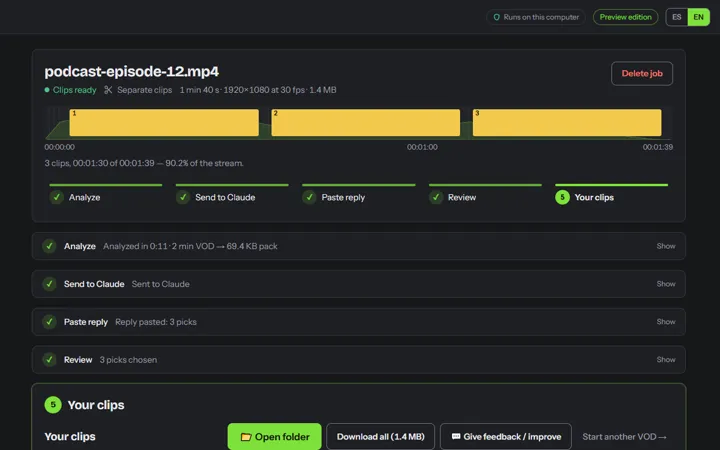
Each moment as its own clip, lossless.
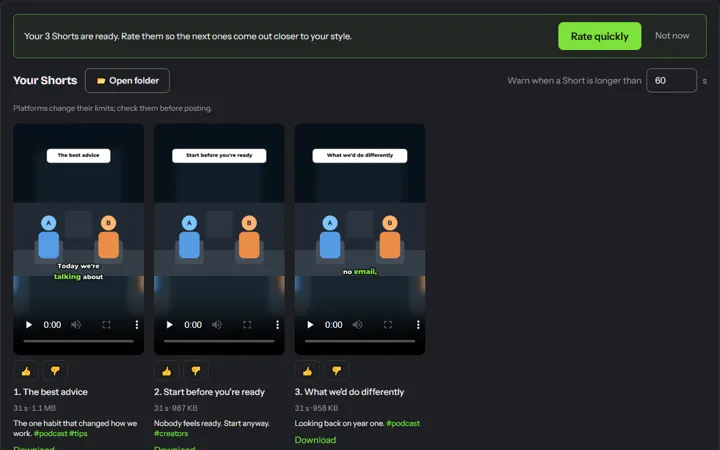
Vertical 9:16, face framing (stacked for two people), word-by-word captions and a hook title.
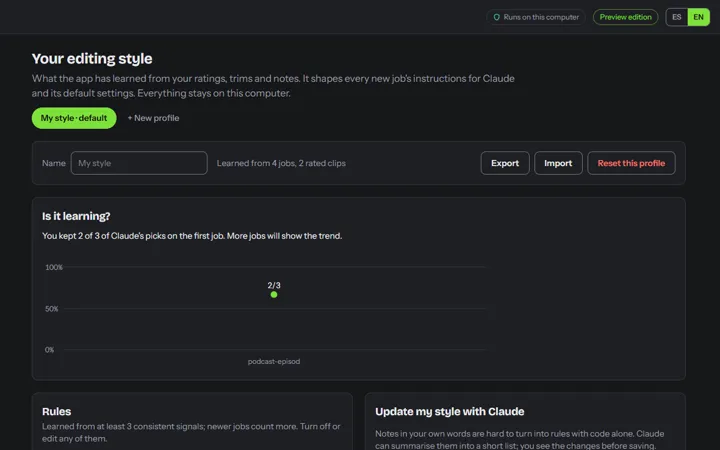
Rate and trim, and the next jobs come out closer to how you edit.
The full code is public under the MIT licence. Anyone can read exactly what the app does with their videos.
Your computer · everything on 127.0.0.1
Windows may say “Windows protected your PC”. The app isn't code-signed yet: click More info → Run anyway.
Yes. While VOD Clipper is in preview, every feature is free, including the Pro ones like Shorts.
No. Your videos are analyzed and cut on your computer. Claude only gets the small pack you send it yourself: a transcript, thumbnails and loudness signals.
No. It works with a free Claude account at claude.ai. The pack is about 15 MB, well under the chat's upload limit.
Windows only for now. The code is open, so a Mac or Linux build is possible later.
On a typical laptop CPU, analyzing a 3-hour stream takes roughly 20–40 minutes, mostly transcription. Cutting the final clips takes seconds to a few minutes.
The app is in Spanish and English. Transcription works for most languages Whisper supports.
Yes, under the MIT licence. It bundles FFmpeg (GPL v3), whose source is published next to every release. The code is on GitHub.